Welcome to your monthly release roundup, where you can learn about the most impactful updates in the CreatorIQ platform.
This month, we doubled down on competitive intelligence, while also giving your team faster ways to work with creator data and content. Here's what's new.
Sharper eyes on the competition
BenchmarkIQ got a major upgrade this month, with a new dashboard, deeper filtering, and the ability to act on what you find.
|
.gif?width=761&height=428&name=dashboard%20(1).gif)
A new BenchmarkIQ dashboard experience
BenchmarkIQ now has a new dashboard, with PDF export back by popular demand, 7 new configurable chart types, and a focus metric selector. Set your focus metric once to drive four key charts at a time, and break down brand performance by whichever dimension matters most to you, right from the dashboard. Not fully ready to make the switch? Toggle between new and classic versions from the top bar while maintaining your filters and date ranges.
|
|
Turn insights into action with Community Status
The Top Creators table now shows you which competitor-surfaced creators are already in your Community, and lets you select one or many and add them straight to a List, Community, or Campaign, without ever leaving BenchmarkIQ. Whether you're doubling down on creators already driving results for your brand or sourcing high performers from a competitor's roster, this closes the loop between insight and action.
|
|
Break down performance by Sponsored vs. Non-Sponsored
You can now filter and break out any metric in your competitive data—not just EMV—by Sponsored vs. Non-Sponsored posts, across the main dashboard, brand insight pages, and Prism exports. By tracking FTC disclosure keywords, this gives you a directional read on how much of a competitor's performance is coming from paid partnerships versus organic-style advocacy.
|
|
Know your community, faster
We're always working to make sure the data you see in CreatorIQ is accurate, complete, and ready when you need it.
|
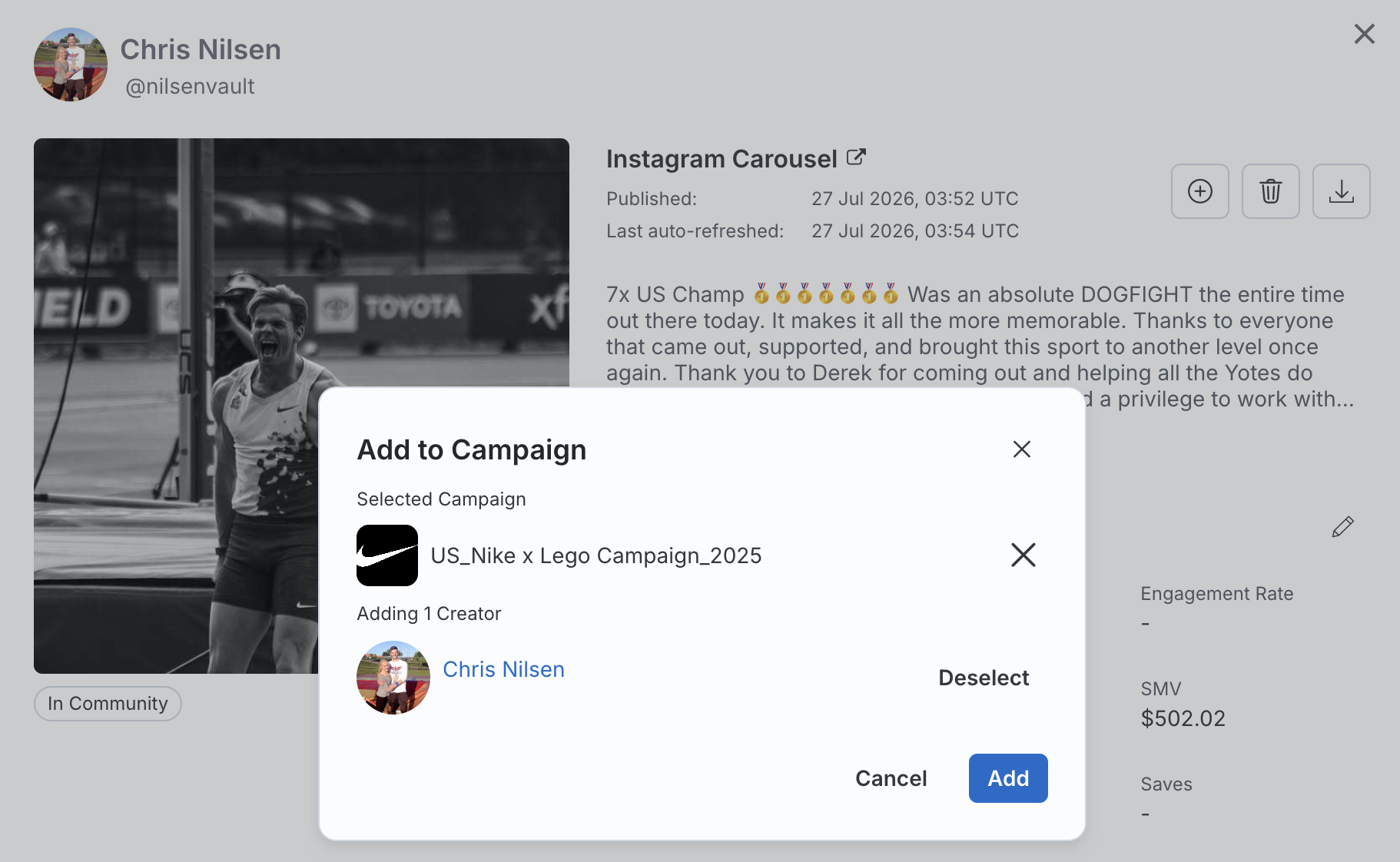
Add creators to a Campaign or List right from your content
Browsing posts in Community, on a Creator Profile, or in Campaign → Published Posts? You can now add that creator to a Campaign or List directly from the post view—no more leaving your content review to go action a creator elsewhere.
|
|
Two new ways to filter your roster
A new Campaign Participation filter lets you distinguish creators who've actually posted for a campaign from those simply assigned to it. And Creator Tags filtering now supports two filters at once, so you can combine "is any of" and "is not any of" conditions for more precise segmentation.
|
|
Fewer steps, smoother workflows
Upgrades that reduce friction and keep your team moving without workarounds.
|
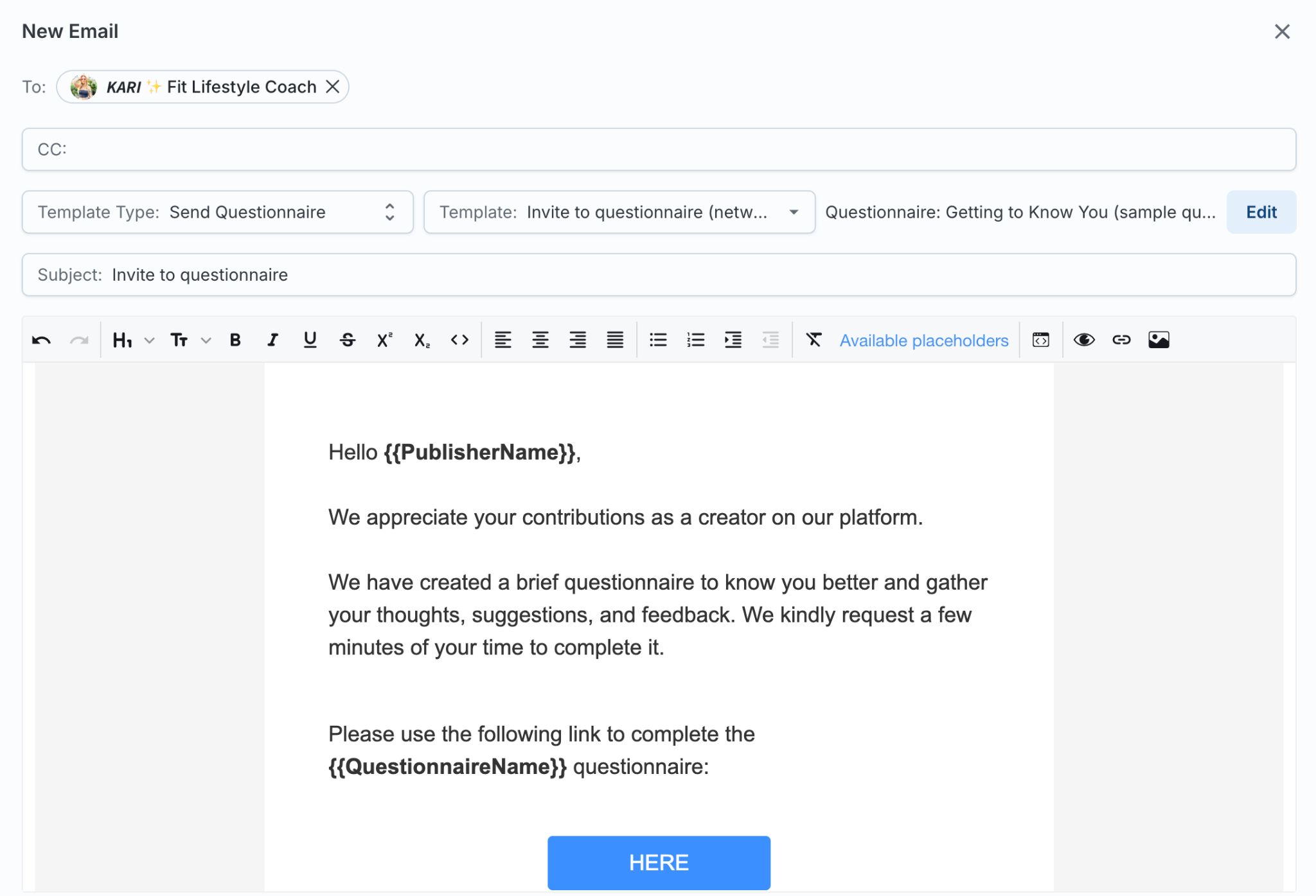
Send questionnaires right from the Messaging Modal
Questionnaires are now available as a template type within the Messaging Modal, including for bulk messaging. This gives you one consistent workflow for creator communication, instead of hopping between tools.
|
|
Unapproved Payments Report
A new report surfaces campaign payment amounts you've entered but haven't yet approved, giving you one place to catch anything that slipped through across campaigns.
|
|
Your export preferences, remembered
CSV export field selections in Community and Lists are now saved per user, so you're not reselecting the same fields every time.
|
|

